The Best Wireless Gaming Keyboard
 Researched by Johnny Alto · Published July 29, 2026
Short answer: The best wireless gaming keyboard is the Logitech G915 X LIGHTSPEED TKL (Tactile). Logitech's LIGHTSPEED 2.4GHz protocol is the most battle-tested low-latency wireless on the market, and the G915 X pairs it with tri-mode connectivity (2.4GHz dongle, Bluetooth, and USB-C wired fallback), so you game on the dongle and switch to Bluetooth for a work laptop. The main things to weigh are insist on a 2.4ghz dongle, not bluetooth alone, polling rate, wired fallback, and layout for gaming.
Top pickLogitech G915 X LIGHTSPEED TKL (Tactile)View offer →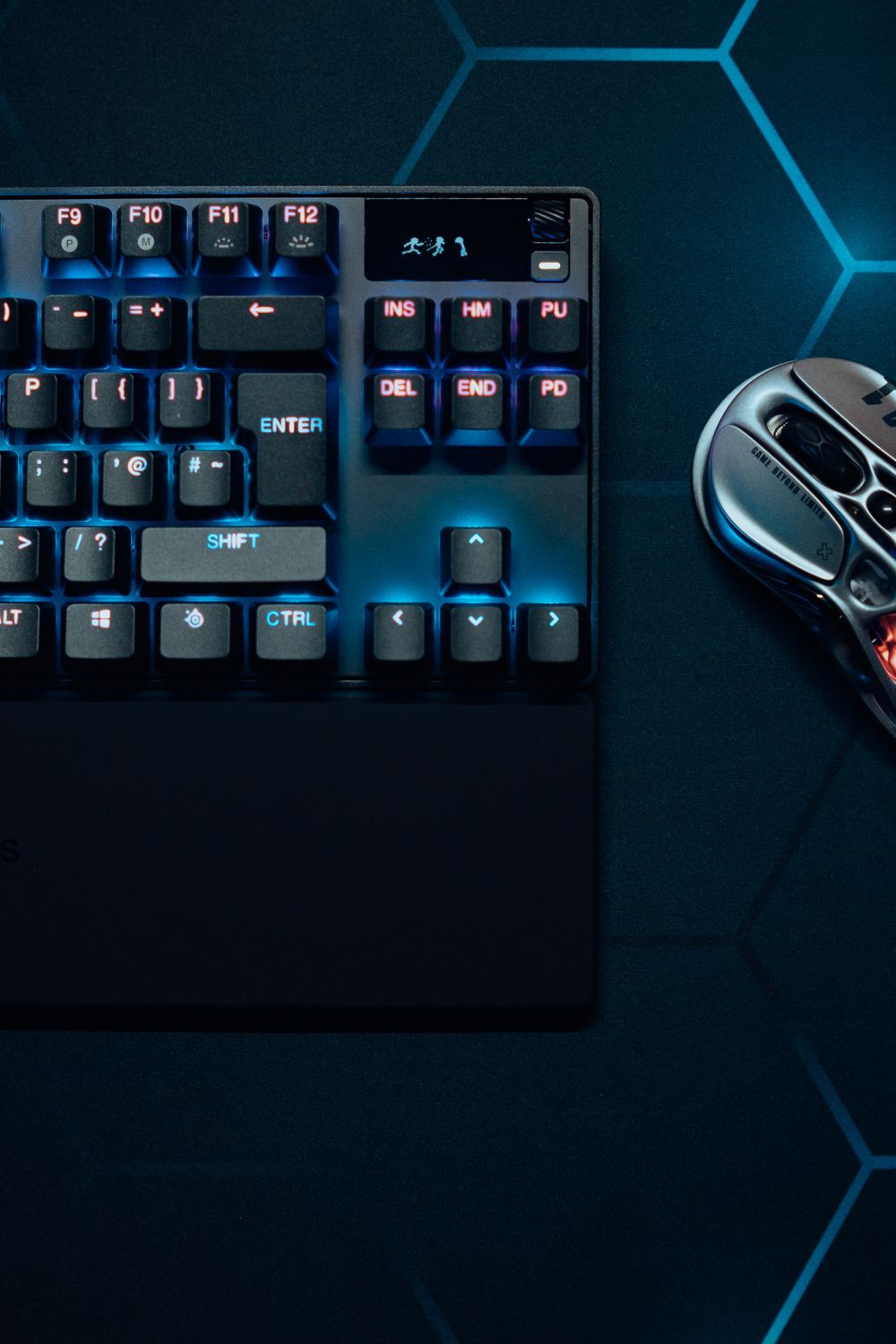
Logitech G915 X LIGHTSPEED TKL (Tactile)
Logitech's LIGHTSPEED 2.4GHz protocol is the most battle-tested low-latency wireless on the market, and the G915 X pairs it with tri-mode connectivity (2.4GHz dongle, Bluetooth, and USB-C wired fallback), so you game on the dongle and switch to Bluetooth for a work laptop. The low-profile GL mechanical switches, doubleshot PBT keycaps, and aluminum top plate feel genuinely premium for a wireless board. The honest cons: it is expensive, typically around 180 to 200 dollars, and the low-profile switch feel is polarizing, since players used to full-height switches often find the short travel too shallow. Battery life also drops meaningfully with RGB at full brightness. For rock-solid low-latency wireless from a proven maker, it is the pick.
View on Amazon Editorial illustration.Serious gamers keep getting burned by wireless keyboards that are really just Bluetooth, which adds noticeable input lag. The real requirement is a dedicated 2.4GHz dongle that delivers near-wired latency, with Bluetooth reserved as a secondary convenience mode. This guide is for competitive and everyday PC gamers who want a clean desk without giving up response time. Here is the battle-tested pick, enthusiast and RGB flagships, and what actually matters versus marketing.
How do the best options for wireless gaming keyboard compare?
| Pick | Product | Why it makes the list |
|---|---|---|
| Top pick | Logitech G915 X LIGHTSPEED TKL (Tactile) | Logitech's LIGHTSPEED 2.4GHz protocol is the most battle-tested low-latency wireless on the market, and the G915 X pairs it with tri-mode connectivity (2.4GHz dongle, Bluetooth, and USB-C wired fallback), so you game on the dongle and switch to Bluetooth for a work laptop. |
| Enthusiast hot-swap | ASUS ROG Azoth (75 percent) | Gasket-mounted, hot-swappable, pre-lubed switches with a genuinely great typing feel plus an OLED screen and tri-mode wireless. It is pricey, and the compact 75 percent layout drops the dedicated function row and nav cluster some gamers want. |
| RGB flagship | Razer BlackWidow V4 Pro 75% Wireless | 4000Hz wireless polling, hot-swappable, plus an OLED and command dial. It is expensive and chunky, and Razer Synapse software is required to unlock most features. |
| Best hot-swap value | Keychron V6 Max (full-size) | 2.4GHz plus Bluetooth 5.1, QMK and VIA programmable, and much cheaper than the flagships. It is 1000Hz polling rather than 4K or 8K and uses a heavier non-low-profile chassis. |
What should you look for in wireless gaming keyboard?
A few things separate a good wireless gaming keyboard from a frustrating one: insist on a 2.4ghz dongle, not bluetooth alone, polling rate, wired fallback, and layout for gaming. Weigh these before you buy.
- Insist on a 2.4GHz dongle, not Bluetooth alone: Bluetooth adds latency and is fine for typing but a real disadvantage in fast games.
- Polling rate: 1000Hz is standard and plenty; 4000 or 8000Hz is marginal gains most players will not feel.
- Wired fallback: confirm a USB-C wired mode so a dead battery never ends a session, and check rated battery life since RGB brightness cuts it dramatically.
- Layout for gaming: TKL and 75 percent free mouse space, but 75 percent boards compress or remove the function row and nav keys.
Why 2.4GHz and not Bluetooth
The single most important decision when buying a wireless gaming keyboard is the type of wireless, because the word wireless hides two very different technologies with very different consequences for gaming. Bluetooth is the convenient one: it is built into laptops and phones, it lets a keyboard pair with several devices, and for typing it is perfectly fine. But Bluetooth was designed for power efficiency and broad compatibility, not for minimum latency, so it adds a small but real delay between pressing a key and the action registering, and in a fast game that delay is a genuine disadvantage. A dedicated 2.4GHz connection is the gaming one: the keyboard talks to a little USB dongle over a private radio link tuned for speed, and the result is latency close enough to a wired cable that most players cannot tell the difference. That is why every serious wireless gaming board ships with a 2.4GHz dongle and treats Bluetooth as a secondary mode for convenience, and it is why you should be suspicious of any wireless keyboard marketed for gaming that only offers Bluetooth. Two smaller things round out a good pick. First, a wired USB-C fallback matters, because wireless means batteries, and you want to be able to plug in and keep playing when the charge runs out rather than losing a match. Second, polling rate gets a lot of marketing attention, with premium boards touting 4000 or 8000Hz, but the jump from the standard 1000Hz to those numbers is a difference almost no one can actually feel, so it is not worth paying a big premium for. Get the 2.4GHz dongle and a wired fallback and the rest is feel and features.
What are the best alternatives?
ASUS ROG Azoth (75 percent)
Gasket-mounted, hot-swappable, pre-lubed switches with a genuinely great typing feel plus an OLED screen and tri-mode wireless. It is pricey, and the compact 75 percent layout drops the dedicated function row and nav cluster some gamers want.
View on AmazonRazer BlackWidow V4 Pro 75% Wireless
4000Hz wireless polling, hot-swappable, plus an OLED and command dial. It is expensive and chunky, and Razer Synapse software is required to unlock most features.
View on AmazonKeychron V6 Max (full-size)
2.4GHz plus Bluetooth 5.1, QMK and VIA programmable, and much cheaper than the flagships. It is 1000Hz polling rather than 4K or 8K and uses a heavier non-low-profile chassis.
View on AmazonBottom line: the Logitech G915 X is the proven low-latency wireless pick, the ROG Azoth is the enthusiast hot-swap board, and the Keychron V6 Max is the value option. Get 2.4GHz, not Bluetooth-only, for gaming. Compare it with our Hall-effect keyboard guide and our small-hands gaming guide.
Frequently asked questions
What is the best wireless gaming keyboard?
Logitech G915 X LIGHTSPEED TKL (Tactile). Logitech's LIGHTSPEED 2.4GHz protocol is the most battle-tested low-latency wireless on the market, and the G915 X pairs it with tri-mode connectivity (2.4GHz dongle, Bluetooth, and USB-C wired fallback), so you game on the dongle and switch to Bluetooth for a work laptop.
What should you look for in wireless gaming keyboard?
Focus on insist on a 2.4ghz dongle, not bluetooth alone, polling rate, wired fallback, and layout for gaming.
What is a good alternative to the Logitech G915 X LIGHTSPEED TKL (Tactile)?
The ASUS ROG Azoth (75 percent). Gasket-mounted, hot-swappable, pre-lubed switches with a genuinely great typing feel plus an OLED screen and tri-mode wireless. It is pricey, and the compact 75 percent layout drops the dedicated function row and nav cluster some gamers want.
Related buying guides
- Airbrush for Miniature Painting
- SD Card for the Anbernic RG35XX
- Foam Inserts for Wingspan
- Wet Palette for Miniature Painting
- Lube for Linear Switches
This is a research-based buying guide, not a personal hands-on review. Product details, prices, and availability can change; confirm the current listing on Amazon. As an Amazon Associate I earn from qualifying purchases. Amazon and the Amazon logo are trademarks of Amazon.com, Inc. or its affiliates.
← More Tech & Creator Gear · All guides · How we research · About · Affiliate Disclosure · Privacy Policy · Contact