Keychron V1 (75 percent, hot-swap, QMK/VIA, switches included)
The V1 is the closest thing to a no-regrets first custom: it is fully assembled and usable out of the box (this version.
View on Amazon → Researched by Johnny Alto · Updated October 12, 2026
Short answer: Our top pick is the Keychron V1 (75 percent, hot-swap, QMK/VIA, switches included). The V1 is the closest thing to a no-regrets first custom: it is fully assembled and usable out of the box (this version includes Keychron K Pro.
Top pickKeychron V1 (75 percent, hot-swap, QMK/VIA, switches included)View offer →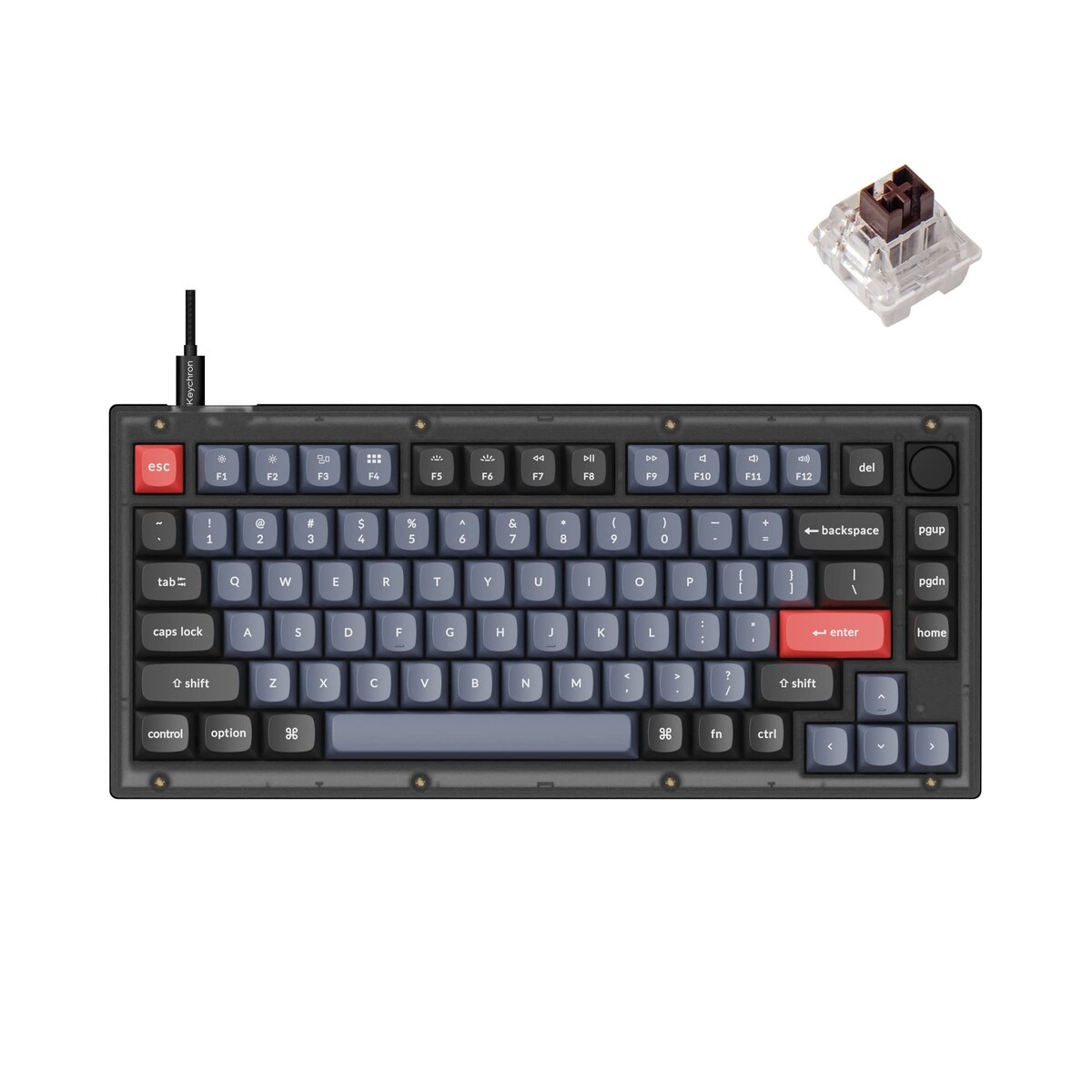
The V1 is the closest thing to a no-regrets first custom: it is fully assembled and usable out of the box (this version includes Keychron K Pro switches and keycaps), yet every socket is.
The first-build problem is that custom keyboard can mean anything from a solder-required PCB to a screw-in-your-switches kit, and beginners get burned buying something that needs tools or firmware they do not have. The right first board is hot-swap so there is no soldering, runs friendly VIA or QMK remapping software, and either includes decent switches and caps or makes them trivial to add. This is for someone who wants to actually learn the hobby and tinker, but not risk a soldering iron on day one. Here is the no-regrets pick, a wireless step, and a gasket upgrade.
The V1 is the closest thing to a no-regrets first custom: it is fully assembled and usable out of the box (this version.
View on Amazon →Adds 2.4GHz and Bluetooth wireless and comes as a clean barebones so you pick your own switches and caps.
View on Amazon →Gasket mount and factory foam give a softer, more premium sound while still arriving fully built and VIA-programmable.
View on Amazon →A CNC aluminum gasket board that is the natural endgame step up while keeping the same VIA workflow.
View on Amazon →A few things separate a good custom keyboard kit for beginners from a frustrating one: prioritize hot-swap plus qmk or via, decide assembled vs barebones, gasket mount, and what a beginner also needs. Weigh these before you buy.
The word custom scares off a lot of newcomers because it conjures soldering irons and firmware flashing, but a modern beginner kit removes both of those hurdles, and knowing what to look for is most of the battle. The first and most important feature is hot-swap. On an older custom board the switches are soldered to the PCB, so changing them means a soldering iron, solder wick, and a steady hand, whereas a hot-swap board has little sockets that grip the switch pins, so you pull a switch out with a puller and press a new one in, no tools, no risk. That single feature is what turns keyboard building from an electronics project into a Lego-like hobby. The second feature is friendly remapping software, specifically QMK with its VIA companion, which lets you reassign any key, build layers, and record macros through a point-and-click browser interface and save it to the board, again with no code. The third decision is assembled versus barebones: an assembled kit like the Keychron V1 comes with switches and keycaps so it types the moment it arrives and you can experiment later, while a barebones kit is cheaper on paper but does nothing until you buy and add switches and a keyset, which is a better fit once you know your preferences. For a true first build, the winning combination is hot-swap plus VIA plus included switches and caps, because it lets you start typing immediately and then tinker at your own pace, and every part of the hobby, swapping switches, lubing, changing keycaps, remapping, is open to you without ever touching a soldering iron.
Adds 2.4GHz and Bluetooth wireless and comes as a clean barebones so you pick your own switches and caps. Being barebones, it needs a separate switch and keycap purchase, so the total cost is higher than it looks.
View on AmazonGasket mount and factory foam give a softer, more premium sound while still arriving fully built and VIA-programmable. Epomaker's VIA support often needs a downloaded definition file rather than the official web app, a small extra hurdle.
View on AmazonA CNC aluminum gasket board that is the natural endgame step up while keeping the same VIA workflow. It is significantly pricier and, as a barebones, still needs switches and keycaps added.
View on AmazonBottom line: the Keychron V1 is the no-regrets first custom that works out of the box yet stays fully hot-swap and remappable, the V1 Max adds wireless, and the Q1 Max is the aluminum endgame. Decide assembled versus barebones before you buy. Compare it with our barebones guide and our pudding keycap guide.
Keychron V1 (75 percent, hot-swap, QMK/VIA, switches included). The V1 is the closest thing to a no-regrets first custom: it is fully assembled and usable out of the box (this version includes Keychron K Pro switches and keycaps), yet every socket is hot-swap for 3-pin and 5-pin MX switches, so you can pull and swap switches whenever you are curious.
Focus on prioritize hot-swap plus qmk or via, decide assembled vs barebones, gasket mount, and what a beginner also needs.
The Keychron V1 Max Barebones (75 percent, QMK/VIA). Adds 2.4GHz and Bluetooth wireless and comes as a clean barebones so you pick your own switches and caps. Being barebones, it needs a separate switch and keycap purchase, so the total cost is higher than it looks.
This is a research-based buying guide, not a personal hands-on review. Product details, prices, and availability can change; confirm the current listing on Amazon. As an Amazon Associate I earn from qualifying purchases. Amazon and the Amazon logo are trademarks of Amazon.com, Inc. or its affiliates.
← More Tech & Creator Gear · All guides · How we research · About · Affiliate Disclosure · Privacy Policy · Contact