BenQ ScreenBar Halo 2
The category leader, and the ScreenBar is what defined this product.
View on Amazon → Researched by Johnny Alto · Updated October 12, 2026
Short answer: Our top pick is the BenQ ScreenBar Halo 2. The category leader, and the ScreenBar is what defined this product.
Top pickBenQ ScreenBar Halo 2View offer →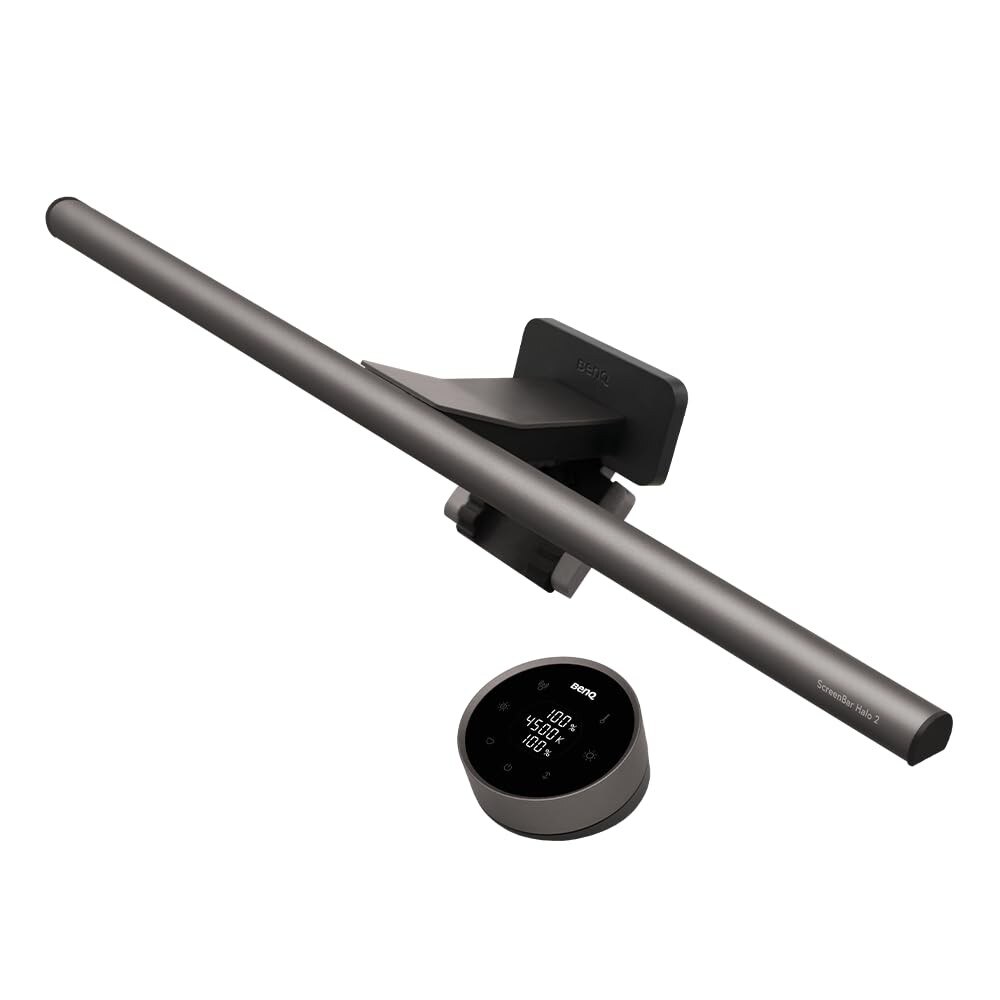
The category leader, and the ScreenBar is what defined this product.
A monitor light bar clamps to the top of your screen and lights your desk and keyboard without casting glare on the display, so you can work in a dim room without eye strain and without a bulky desk lamp eating space. What matters: an asymmetric optical design that lights the desk but not the screen, adjustable brightness and color temperature, and a clip that fits your monitor (including a curved one). Here is the premium pick, plus an auto-dimming version and a budget option.
The category leader, and the ScreenBar is what defined this product.
View on Amazon →Adds automatic brightness that adapts to your room and a presence sensor that turns the bar on when you sit down and off.
View on Amazon →A well-reviewed, much cheaper light bar with adjustable brightness and color temperature that covers the core benefit.
View on Amazon →A few things separate a good monitor light bar from a frustrating one: asymmetric optics, adjustable brightness and color temperature, clip fit, and power and control. Weigh these before you buy.
The point of a monitor light bar is not just to save desk space, it is to fix a specific eye-strain problem: working on a bright screen in a dark room forces your eyes to constantly adjust between the glowing display and the dark surroundings. A regular desk lamp helps, but it usually throws glare onto the screen or into your eyes. A good light bar's asymmetric optics light the desk and your keyboard while keeping the screen glare-free, and a rear-backlight model goes further by softening the contrast between the screen and the wall behind it. For the best effect, set the bar's brightness so your desk is roughly as bright as your screen, use a warmer color temperature in the evening, and it pairs naturally with the rest of a comfortable, ergonomic setup.
Adds automatic brightness that adapts to your room and a presence sensor that turns the bar on when you sit down and off when you leave. The pick if you want a set-and-forget light that manages itself.
View on AmazonA well-reviewed, much cheaper light bar with adjustable brightness and color temperature that covers the core benefit (glare-free desk lighting) for a fraction of the BenQ price. Fewer refinements, but it does the main job.
View on AmazonBottom line: the BenQ ScreenBar Halo 2 is the premium, do-it-right pick; go ScreenBar Pro for auto-dimming, or the Quntis to get the benefit on a budget. It completes the rest of our desk-setup gear.
BenQ ScreenBar Halo 2. The category leader, and the ScreenBar is what defined this product.
Focus on asymmetric optics, adjustable brightness and color temperature, clip fit, and power and control.
The BenQ ScreenBar Pro. Adds automatic brightness that adapts to your room and a presence sensor that turns the bar on when you sit down and off when you leave. The pick if you want a set-and-forget light that manages itself.
This is a research-based buying guide, not a personal hands-on review. Product details, prices, and availability can change; confirm the current listing on Amazon. As an Amazon Associate I earn from qualifying purchases. Amazon and the Amazon logo are trademarks of Amazon.com, Inc. or its affiliates.
← More Tech & Creator Gear · All guides · How we research · About · Affiliate Disclosure · Privacy Policy · Contact