Kinesis Freestyle Edge RGB (with the Lift Kit for tenting)
For wrist pain specifically, adjustable tenting is the highest-value feature, and the Freestyle Edge is the mainstream.
View on Amazon → Researched by Johnny Alto · Updated October 12, 2026
Short answer: Our top pick is the Kinesis Freestyle Edge RGB (with the Lift Kit for tenting). For wrist pain specifically, adjustable tenting is the highest-value feature, and the Freestyle Edge is the mainstream Amazon board that supports.
Top pickKinesis Freestyle Edge RGB (with the Lift Kit for tenting)View offer →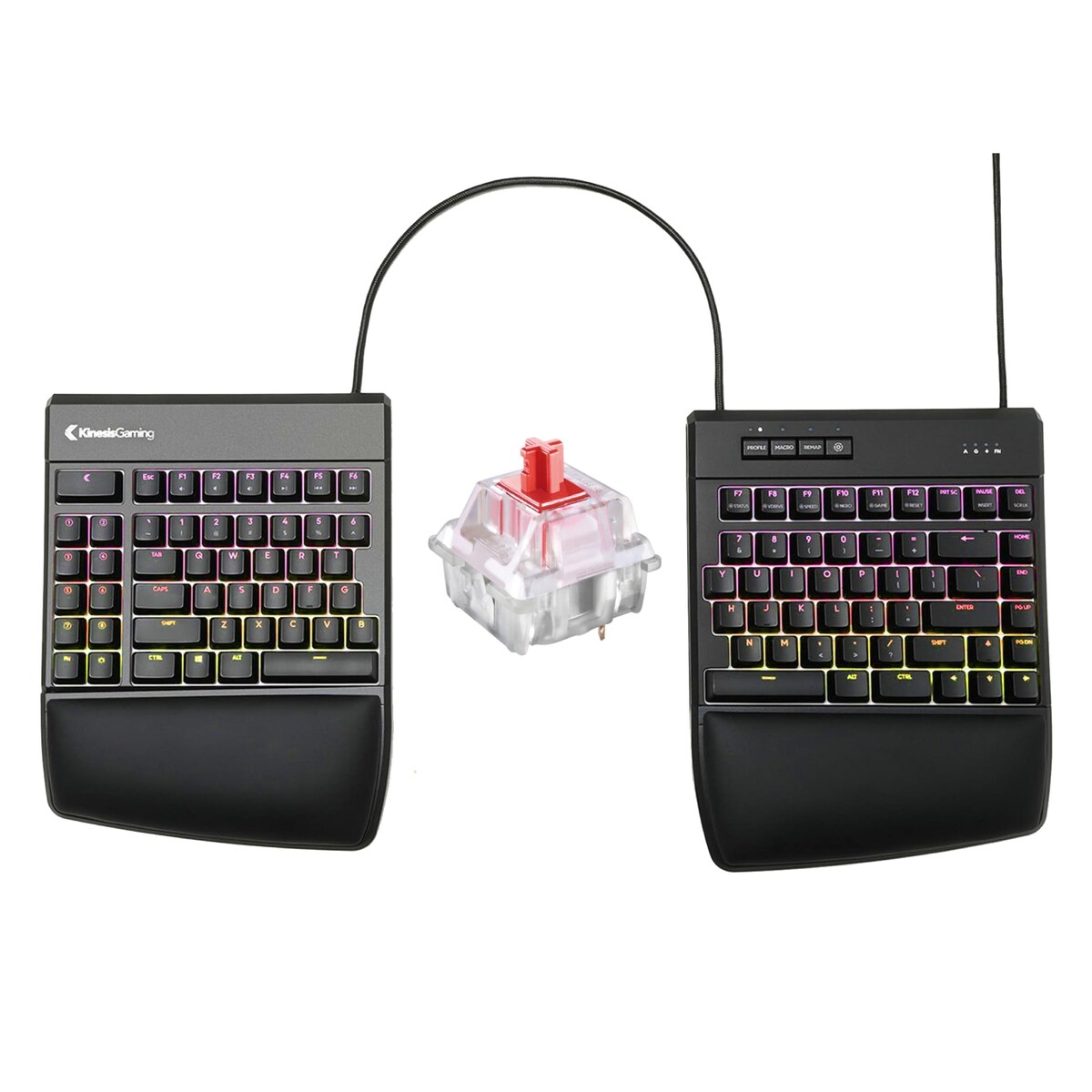
For wrist pain specifically, adjustable tenting is the highest-value feature, and the Freestyle Edge is the mainstream Amazon board that supports true 5, 10, and 15-degree tenting via its.
If your wrists ache after long sessions, the culprits are usually flat pronation, palms forced down, and ulnar deviation, wrists bent outward toward the pinky. Tenting and a split or columnar layout attack both. This is for someone whose wrists hurt and who wants a keyboard that lets the hands sit more like a neutral handshake, not a guaranteed cure. Here is the highest-value pick for wrist pain, premium and gentle alternatives, and an honest word about when a keyboard is not enough.
For wrist pain specifically, adjustable tenting is the highest-value feature, and the Freestyle Edge is the mainstream.
View on Amazon →A true split with a rock-solid aluminum body and hot-swap so you can drop to lighter switches that need less force.
View on Amazon →A one-piece split with an integrated wrist rest and low-profile switches reduces reach strain with almost no relearning.
View on Amazon →A unibody ergonomic layout with a redesigned cluster that straightens wrist angle without needing two separate halves, so.
View on Amazon →A few things separate a good ergonomic mechanical keyboard for wrist pain from a frustrating one: tenting is the top lever, split vs unified, aim for a wrist-neutral setup, and honest caveat. Weigh these before you buy.
It is worth being clear-eyed about this, because a keyboard is a posture tool, not a treatment. Typing-related wrist pain usually comes from two sustained bad angles. The first is pronation, where a flat keyboard forces your palms to face straight down, twisting the forearm bones against each other all day. The second is ulnar deviation, where your hands are pushed together in the center of a normal board so your wrists bend outward toward the pinky. An ergonomic keyboard targets both: tenting raises the inner edges so your palms tilt inward toward a natural handshake angle and relieve the pronation, and a split or columnar layout lets your hands sit farther apart and straighter so the wrists stop bending outward. Of those, tenting is the single most valuable feature for wrist pain, which is why the top recommendation is a board with real adjustable tenting rather than a fixed flat one, and it is important to check whether tenting is built in or requires a separately-sold kit, because many boards ship flat. But hardware can only put your joints in a better position; it cannot undo damage or override habits. You still need your monitor at the right height, your chair and desk set so your forearms are roughly parallel to the floor, light switches so you are not pounding the keys, and regular breaks, and there is a genuine adjustment period of a week or two on any ergonomic board before it feels natural. Most importantly, an ergonomic keyboard is not medical care. If you have persistent wrist pain, numbness, tingling, or weakness, those can be signs of a repetitive strain injury or carpal tunnel syndrome, and the right move is to see a doctor or physical therapist, not to assume a new keyboard will fix it.
A true split with a rock-solid aluminum body and hot-swap so you can drop to lighter switches that need less force. The base model has no built-in tenting, so you improvise risers for the wrist-angle benefit.
View on AmazonA one-piece split with an integrated wrist rest and low-profile switches reduces reach strain with almost no relearning curve. Fixed halves and no tenting limit how neutral you can get.
View on AmazonA unibody ergonomic layout with a redesigned cluster that straightens wrist angle without needing two separate halves, so it takes less desk space. The fixed one-piece design cannot spread or tent, and the non-standard key positions have their own adjustment period.
View on AmazonBottom line: the Kinesis Freestyle Edge with its Lift Kit is the highest-value board for wrist pain thanks to real adjustable tenting, the Keychron Q11 is the premium split, and the Perixx is the gentlest entry. A keyboard helps posture but is not a medical fix. Compare it with our split ergonomic guide and our carrying case guide.
Kinesis Freestyle Edge RGB (with the Lift Kit for tenting). For wrist pain specifically, adjustable tenting is the highest-value feature, and the Freestyle Edge is the mainstream Amazon board that supports true 5, 10, and 15-degree tenting via its Lift Kit, on top of full left and right separation.
Focus on tenting is the top lever, split vs unified, aim for a wrist-neutral setup, and honest caveat.
The Keychron Q11 Split. A true split with a rock-solid aluminum body and hot-swap so you can drop to lighter switches that need less force. The base model has no built-in tenting, so you improvise risers for the wrist-angle benefit.
This is a research-based buying guide, not a personal hands-on review. Product details, prices, and availability can change; confirm the current listing on Amazon. As an Amazon Associate I earn from qualifying purchases. Amazon and the Amazon logo are trademarks of Amazon.com, Inc. or its affiliates.
← More Tech & Creator Gear · All guides · How we research · About · Affiliate Disclosure · Privacy Policy · Contact