◆ UsedItFirstDisclosure: As an Amazon Associate I earn from qualifying purchases.
AI room inspiration · linked products differ
GAMING ROOM · AMAZON SHOPPING GUIDE
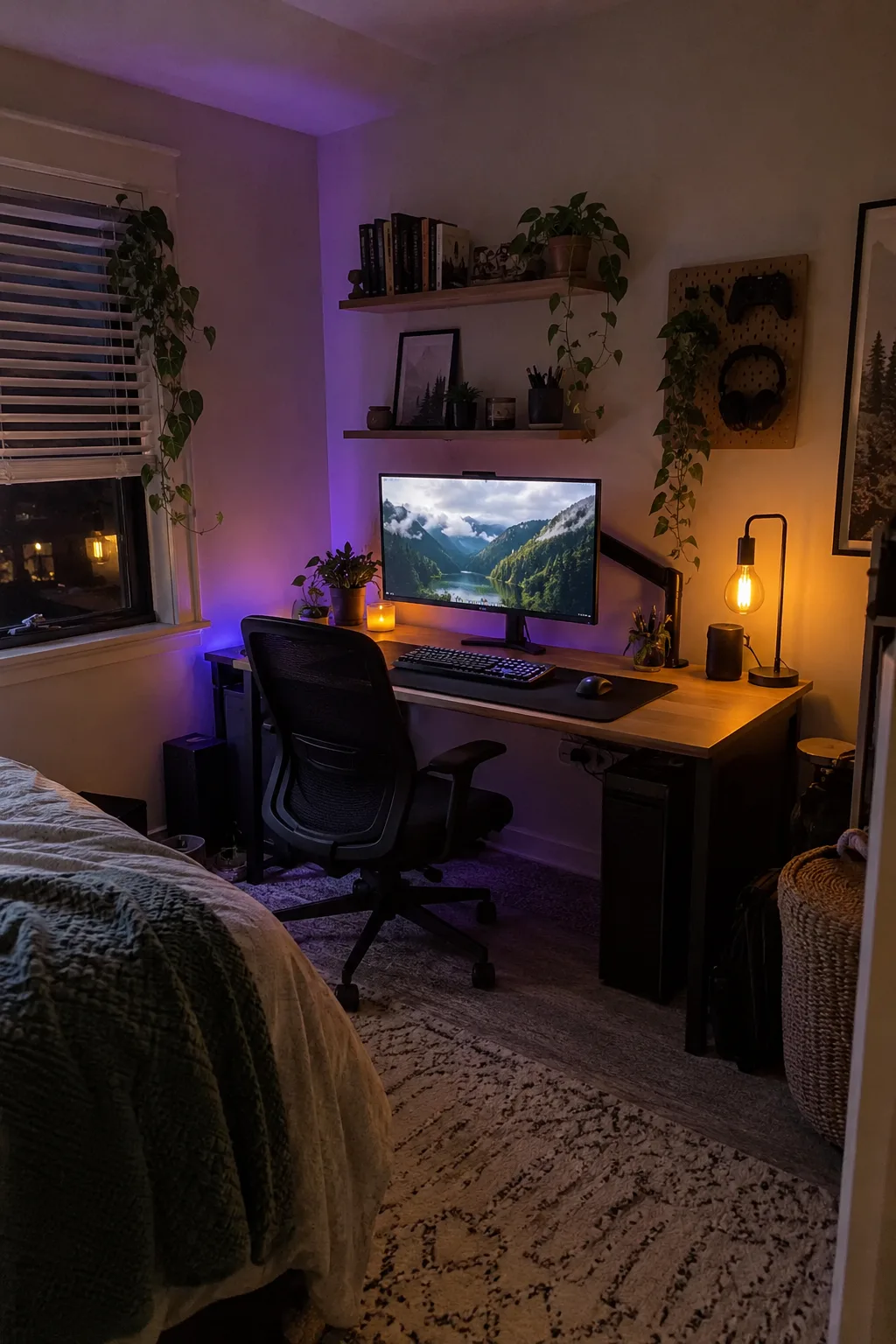
Gaming Room Setups: 7 Ideas Worth Building Around
A good setup is less about filling the room with RGB and more about solving seven real problems: screen position, desk lighting, mousing space, input feel, ambience, loose cables and storage.
Ratings, rank, sellers and availability can change. Confirm the current listing before ordering.
HOW WE CHOSE
Popularity gets a product considered. Reviews and fit decide whether it stays.
We screened for strong Amazon category momentum, then kept products with at least a 4.4-star signal and substantial rating history. We also prioritized upgrades that solve different setup problems instead of recommending seven versions of the same accessory. This is a researched shopping guide, not a hands-on review.
Checked October 10, 2026Amazon ranks and rating counts move constantly, so we do not publish a permanent rank number or price.
A gas-spring arm makes it easier to move the display up, back and slightly off-center while opening the space below. It is a sensible value pick for a standard single-monitor setup.
Fit check: Confirm monitor weight, screen-size range, 75×75 or 100×100 VESA holes, and whether your desktop can accept the clamp or grommet.
Know the tradeoff: Budget arms are less refined than premium models and are not the right choice for every heavy ultrawide.
Use one large surface to make the setup feel intentional.
Aothia Leather Desk Pad
A large desk pad visually connects the keyboard and mouse, protects the desktop and is easier to wipe clean than many cloth mats. It is a quick change with a big visual effect.
Fit check: Measure the usable space between your monitor stand or arm clamp and the front edge. Leave clearance for any desk-mounted accessories.
Know the tradeoff: PU leather feels firmer than a cloth gaming mat and may not suit players who prefer a softer, high-friction surface.
A monitor light bar directs adjustable light toward the desk and keyboard while keeping the desktop clear. It is especially useful when the room itself stays dim for gaming.
Fit check: Compare the clip with your monitor thickness and back shape. Curved screens, webcams and very thin displays can need extra attention.
Know the tradeoff: It is a value alternative to premium light bars, so the controls and fit hardware are simpler.
Use indirect color instead of lighting every surface.
Govee RGBIC LED Strip Lights, 16.4 ft
Placed behind the desk or along a wall edge, an addressable strip can add color without shining directly into your eyes. A single restrained accent usually looks better than competing RGB everywhere.
Fit check: Plan the route before removing adhesive backing. Clean the surface and avoid sharp bends, heat sources and places where the diodes are directly visible.
Know the tradeoff: Adhesive can struggle on textured walls, and app-connected lighting introduces another device and account to manage.
A clamp-mounted tray can hold a power strip, power bricks and excess cord off the floor without drilling into the desk. This often creates a bigger visible improvement than another decorative accessory.
Fit check: Measure desktop thickness, rear clearance and the power strip. Make sure the clamps will not collide with a support rail or monitor-arm clamp.
Know the tradeoff: Clamp hardware remains visible, and the tray still needs ties or hook-and-loop straps to keep loose cables controlled.
Floating shelves give controllers, small speakers, plants and collectibles a home without using the playing surface. They also help frame the setup vertically.
Fit check: Match mounting hardware to the wall type, follow the listed load limits, and leave head and monitor-arm clearance.
Know the tradeoff: Wall mounting takes more planning than a desktop organizer and may not be suitable for every rental.
Start with the monitor position, desk surface and keyboard. These affect every session.
2. Hide the mess
Add the cable tray and only the shelf space you can mount safely.
3. Add atmosphere
Finish with task lighting and one indirect color accent. Stop before the room feels visually noisy.
QUICK QUESTIONS
Gaming room setup FAQ
What should I buy first for a gaming setup?
Fix the item that affects comfort or space most. For many desks that is monitor height, cable clutter or an undersized mouse area—not decorative lighting.
How do I make a small gaming room look better?
Use vertical storage, keep one consistent accent color and move power strips and excess cable off the floor. A few controlled lines make a small room feel calmer.
Do I need RGB lighting?
No. A warm desk light plus one indirect colored strip can create depth without dominating the room. Avoid placing bright LEDs where they reflect in the monitor.
Are these hands-on reviews?
No. This is a research guide based on popularity, review strength and product fit. Our hands-on pages are labeled separately.
Selection signals were checked October 10, 2026. This page contains affiliate links. Amazon ratings, review counts, rank, sellers and availability can change after publication. Read our methodology.