YMDK 9-Key Aluminum Macro Pad
Aluminum construction, hot-swap sockets, and open QMK/VIA-compatible remapping.
View on Amazon → Researched by Johnny Alto · Updated October 12, 2026
Short answer: Our top pick is the YMDK 9-Key Aluminum Macro Pad (QMK/VIA, hot-swap). It offers a compact aluminum case, replaceable switches, and open remapping support without tying the pad to one vendor's software.
Top pickYMDK 9-Key Aluminum Macro Pad (QMK/VIA, hot-swap)View offer →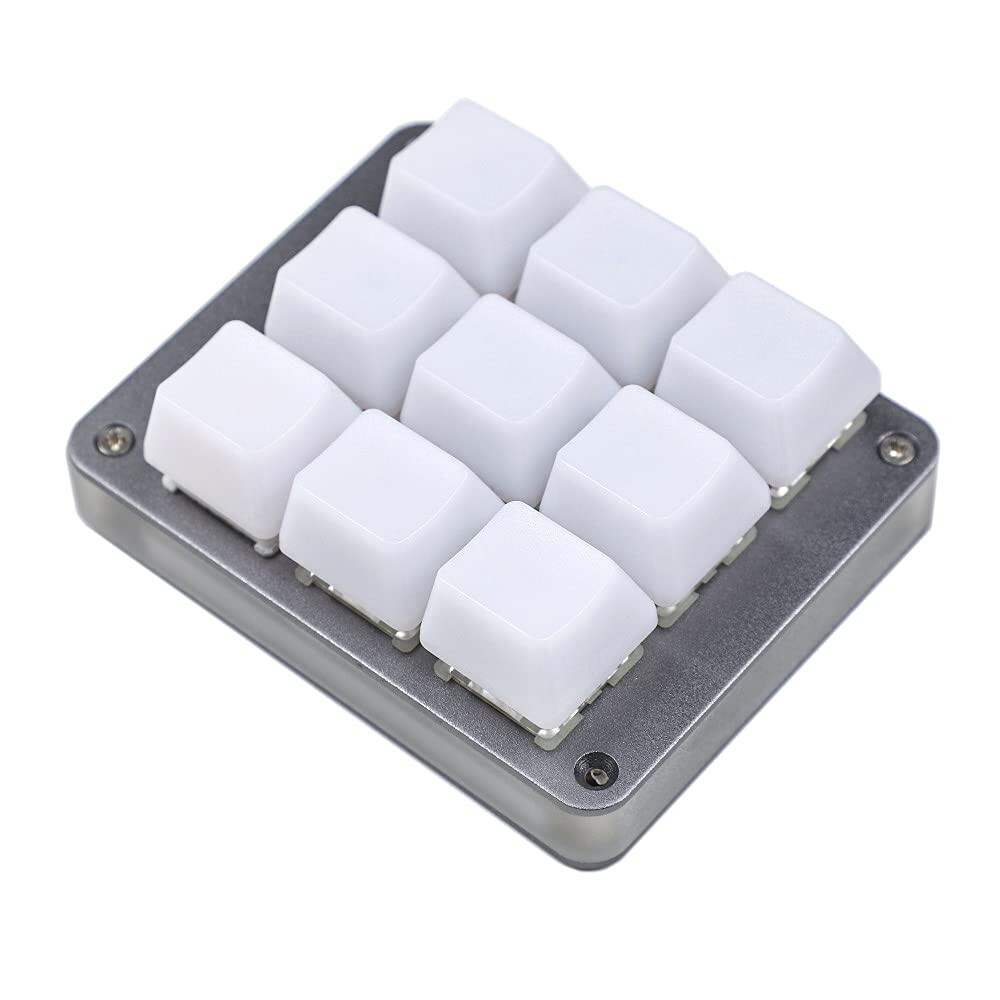
The YMDK 9-key combines an aluminum case, hot-swap switch sockets, and open QMK/VIA-compatible remapping instead of a vendor-only utility.
A macro pad is a tiny programmable mechanical keypad, usually 4 to 12 keys, often with a knob, that lives next to your main keyboard and fires shortcuts, macros, or media controls for editing, streaming, CAD, or coding. The real buyer question is software: enthusiast pads run open VIA or QMK so you remap anything in a browser with no cloud, while cheaper pads use the maker's own app. The Elgato Stream Deck is the famous alternative but uses LCD keys, not mechanical switches, so it is out of scope except as a comparison. This is for anyone who wants physical shortcut keys with real switch feel. Here is the enthusiast pick, a beginner option, and hybrids.
Aluminum construction, hot-swap sockets, and open QMK/VIA-compatible remapping.
View on Amazon →Hot-swap keys and a rotary knob with a simpler vendor utility.
View on Amazon →Twenty-one keys, VIA programmability, and wireless connectivity.
View on Amazon →Nine keys and two rotary controls in a compact footprint.
View on Amazon →A few things separate a good macro pad from a frustrating one: key count, software is the real decision, hot-swap, and caveat. Weigh these before you buy.
Two macro pads can have identical keys and knobs and be completely different tools depending on the firmware, so the software is the decision that actually matters. The open path is QMK, the same community firmware that runs enthusiast keyboards, usually paired with its companion app VIA, which gives you a browser-based, point-and-click interface to assign any key, stack multiple layers of functions, and record complex macros, all saved onto the pad itself so it works on any computer you plug into with no app running and no account. That openness is why a VIA or QMK pad is the enthusiast recommendation: it is flexible, private, cross-platform, and community-supported, so if you get stuck there are guides and definitions for it. The tradeoff is a learning curve, and budget pads take the other path, shipping with the manufacturer's own configuration software, which is typically much simpler to set up but locks you into that vendor's app, often Windows-only, with less flexibility and no community help if the software is abandoned. There is also a category question worth settling up front: a mechanical macro pad is about physical switch feel and offline remapping, and it cannot show per-key icons or integrate deeply with software the way an Elgato Stream Deck, which uses little LCD screens instead of switches, can do with OBS scenes and per-app profiles. If you want tactile shortcut keys that feel like a keyboard and work anywhere, a mechanical pad with VIA is ideal; if you want a screen full of changing icons wired into your streaming software, that is a different device entirely.
Dead-simple to set up, hot-swap, and a rotary knob for volume or scrub, with up to 16 macros and 6 layers. It uses Koolertron's own software, not VIA or QMK, so it is less flexible and not community-supported.
View on Amazon21 keys with full VIA programmability and wireless, so it works as either a macro cluster or a real numpad. At 21 keys it is bigger than a dedicated macro pad, and the numpad legends are not ideal if you only want macros.
View on AmazonNine keys plus two knobs and full remapping for a lot of controls in a small footprint. Again it uses Koolertron's proprietary software, and the clicky stock switches are not for everyone.
View on AmazonBottom line: the YMDK 9-key is the open, aluminum, tinker-friendly macro pad, the Koolertron 6-key is the plug-and-play beginner option, and the Epomaker EK21-X doubles as a numpad. Choose by software freedom versus simplicity. Compare it with our mechanical numpad guide and our beginner custom kit guide.
We used the official QMK keymap documentation and QMK macro documentation to verify what open firmware can assign and automate. Hardware support still depends on the exact board revision, so confirm the current listing before buying. Accessed October 12, 2026.
YMDK 9-Key Aluminum Macro Pad (QMK/VIA, hot-swap). For anyone who wants a real enthusiast macro pad, the YMDK 9-key hits the important marks: a CNC aluminum body, hot-swap sockets so you can drop in any MX switch, and genuine QMK and VIA support so you configure layers and macros in the browser with no proprietary account.
Focus on key count, software is the real decision, hot-swap, and caveat.
The Koolertron Programmable Keypad (6 keys plus knob, hot-swap). Dead-simple to set up, hot-swap, and a rotary knob for volume or scrub, with up to 16 macros and 6 layers. It uses Koolertron's own software, not VIA or QMK, so it is less flexible and not community-supported.
This is a research-based buying guide, not a personal hands-on review. Product details, prices, and availability can change; confirm the current listing on Amazon. As an Amazon Associate I earn from qualifying purchases. Amazon and the Amazon logo are trademarks of Amazon.com, Inc. or its affiliates.
← More Guides: M–R · All guides · How we research · About · Affiliate Disclosure · Privacy Policy · Contact