EPOMAKER EK21 VIA Gasket Numpad (tri-mode, hot-swap)
The EK21 is the most complete standalone numpad for the money: a gasket mount with Poron foam for a soft, quiet feel, an.
View on Amazon → Researched by Johnny Alto · Updated October 12, 2026
Short answer: Our top pick is the EPOMAKER EK21 VIA Gasket Numpad (tri-mode, hot-swap). The EK21 is the most complete standalone numpad for the money: a gasket mount with Poron foam for a soft, quiet feel, an aluminum volume knob.
Top pickEPOMAKER EK21 VIA Gasket Numpad (tri-mode, hot-swap)View offer →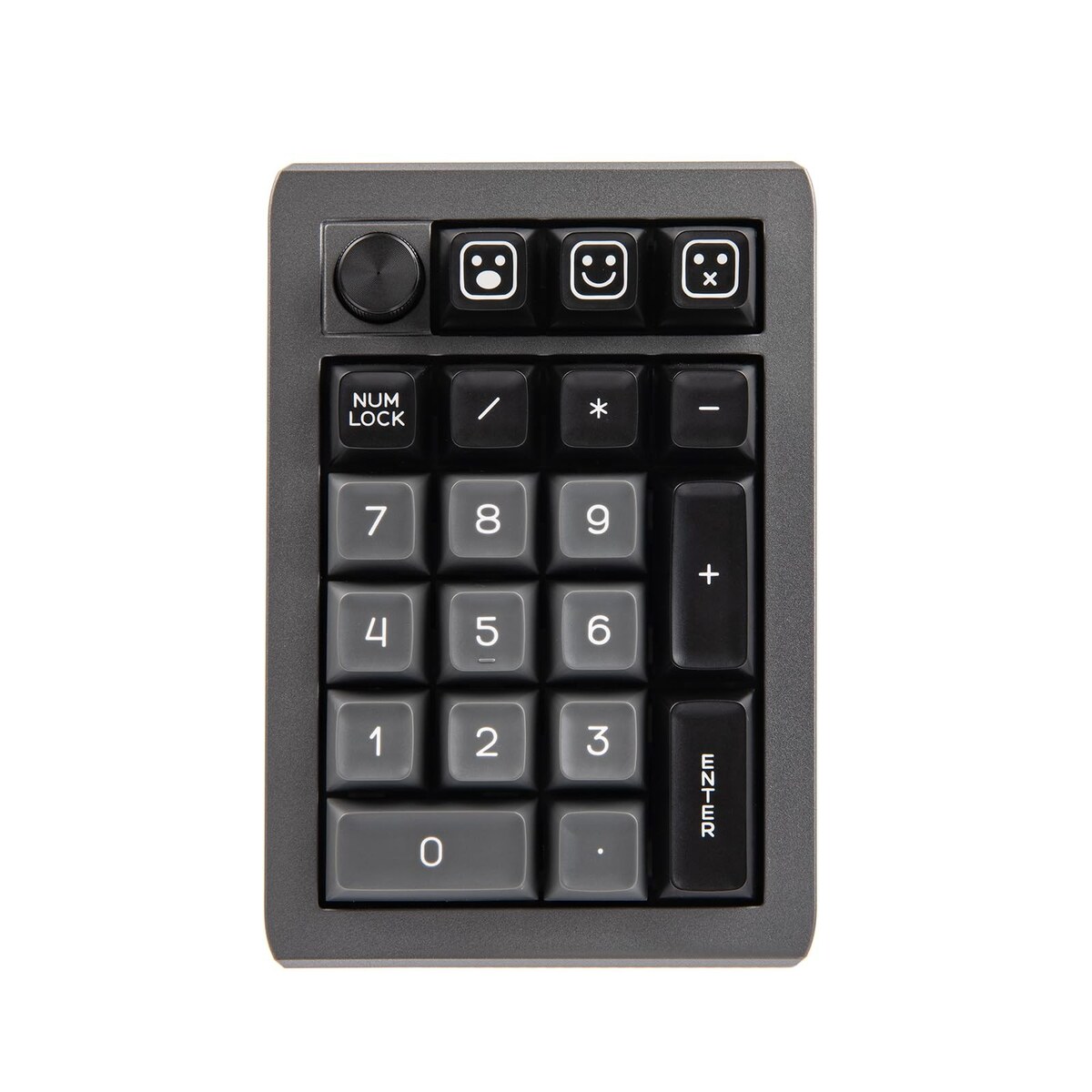
The EK21 is the most complete standalone numpad for the money: a gasket mount with Poron foam for a soft, quiet feel, an aluminum volume knob, hot-swap sockets, and full VIA.
Standalone numpads exist for two people: TKL and 65 percent owners who ditched the number pad but still crunch spreadsheets or CAD, and left-handed users who want the numpad on the left. A mechanical one gives you real switch feel and often hot-swap and programmability, unlike the mushy membrane numpads. The key fork is connectivity: wired is cheaper and lag-free, while wireless is cleaner on the desk but adds a battery to manage. This is for anyone who wants their numbers back without a full-size board. Here is the do-everything pick, budget wired and optical options.
The EK21 is the most complete standalone numpad for the money: a gasket mount with Poron foam for a soft, quiet feel, an.
View on Amazon →The same 21-key layout, hot-swap and programmable, cheaper because it is wired only.
View on Amazon →Optical red switches are fast and durable, the PBT caps resist shine, and it is affordable.
View on Amazon →Fully programmable with two knobs, good as a numpad-plus-macro hybrid.
View on Amazon →A few things separate a good mechanical numpad from a frustrating one: wired vs wireless, switch type, layout, and nice-to-haves with caveats. Weigh these before you buy.
A standalone mechanical numpad answers a specific problem created by the move to smaller keyboards. Compact layouts, TKL, 75, 65, and 60 percent, got popular because chopping the number pad frees desk space and brings the mouse closer, which is great until you have to enter a column of figures in a spreadsheet, punch coordinates into CAD, or do data entry, at which point typing numbers off the top row is slow and error-prone. A separate numpad gives you the number cluster back as a small block you can place wherever you want, and because it is detached you can even put it on the left side of your keyboard, which is a genuine ergonomic win for left-handed users or anyone who wants their mouse hand free. Going mechanical rather than grabbing a cheap membrane numpad buys you the same switch feel as your main board, and the better ones add hot-swap sockets and VIA programmability so the pad can double as a macro cluster when you are not crunching numbers. The main decision is connectivity. A wired numpad is the cheapest option, has no latency, and never needs charging, which is ideal if it lives permanently at your desk. A wireless tri-mode numpad keeps the desk tidy and can travel between a laptop and a desktop, at the cost of managing a battery and a dongle, and with the quirk that remapping often has to be done in wired mode. Beyond that, the things to check are simple: make sure it is a full roughly 17 to 21-key numeric layout if you actually want a numpad rather than a 9-key macro hybrid, and treat PBT keycaps, a knob, and programmability as worthwhile but cost-adding extras.
The same 21-key layout, hot-swap and programmable, cheaper because it is wired only. No wireless and no knob.
View on AmazonOptical red switches are fast and durable, the PBT caps resist shine, and it is affordable. Optical switches limit you to optical replacements when hot-swapping, not standard MX.
View on AmazonFully programmable with two knobs, good as a numpad-plus-macro hybrid. Only 9 keys, so it is not a full 17-key numeric layout, and it uses proprietary software.
View on AmazonBottom line: the Epomaker EK21 is the do-everything wireless numpad with macros, the TH21 is the cheaper wired version, and the Havit is the fast optical pick. Decide wired versus wireless first. Compare it with our macro pad guide and our split ergonomic guide.
EPOMAKER EK21 VIA Gasket Numpad (tri-mode, hot-swap). The EK21 is the most complete standalone numpad for the money: a gasket mount with Poron foam for a soft, quiet feel, an aluminum volume knob, hot-swap sockets, and full VIA programmability so you can remap the top row into macros.
Focus on wired vs wireless, switch type, layout, and nice-to-haves with caveats.
The EPOMAKER TH21 Wired Hot-Swap Numpad. The same 21-key layout, hot-swap and programmable, cheaper because it is wired only. No wireless and no knob.
This is a research-based buying guide, not a personal hands-on review. Product details, prices, and availability can change; confirm the current listing on Amazon. As an Amazon Associate I earn from qualifying purchases. Amazon and the Amazon logo are trademarks of Amazon.com, Inc. or its affiliates.
← More Guides: M–R · All guides · How we research · About · Affiliate Disclosure · Privacy Policy · Contact